Connect a repository
The GitHub App, PR-gated and direct sync, and what a sync run does.
Connect a repository
An organization connects at most one git repository to upzero. There is no per-team or per-project connection, and no naming to pick between several: one connection per org, ever.
Prerequisites
Create a service account
Every applied change runs as a real, permission-checked identity, never an anonymous system actor. Before a repository can be connected, the org needs at least one service account to bind the connection to. The first one for an org is created from Settings > Access > Service accounts, not from the CLI: there is no headless bootstrap for the very first credential (see Organization for the same frontend-only boundary applied to org creation). Give it a role wide enough for what the repository declares. Editor can write monitors, status pages, tokens and workflows; it cannot delete the org or touch billing.
Install the GitHub App
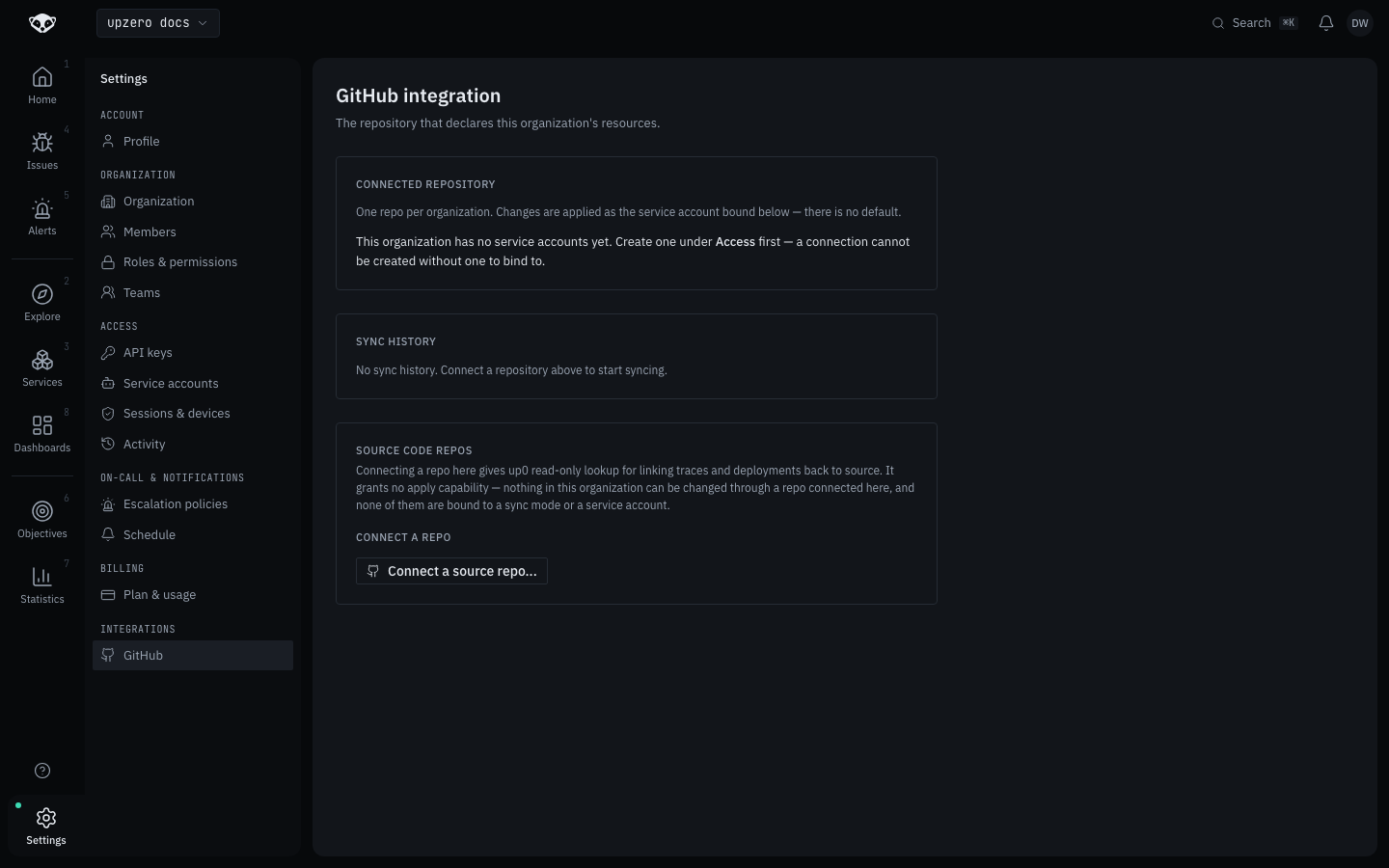
Settings > Integrations > GitHub shows a Connected repository card. With no connection yet, and no service account either, it explains that a service account is required first rather than offering an inert form:
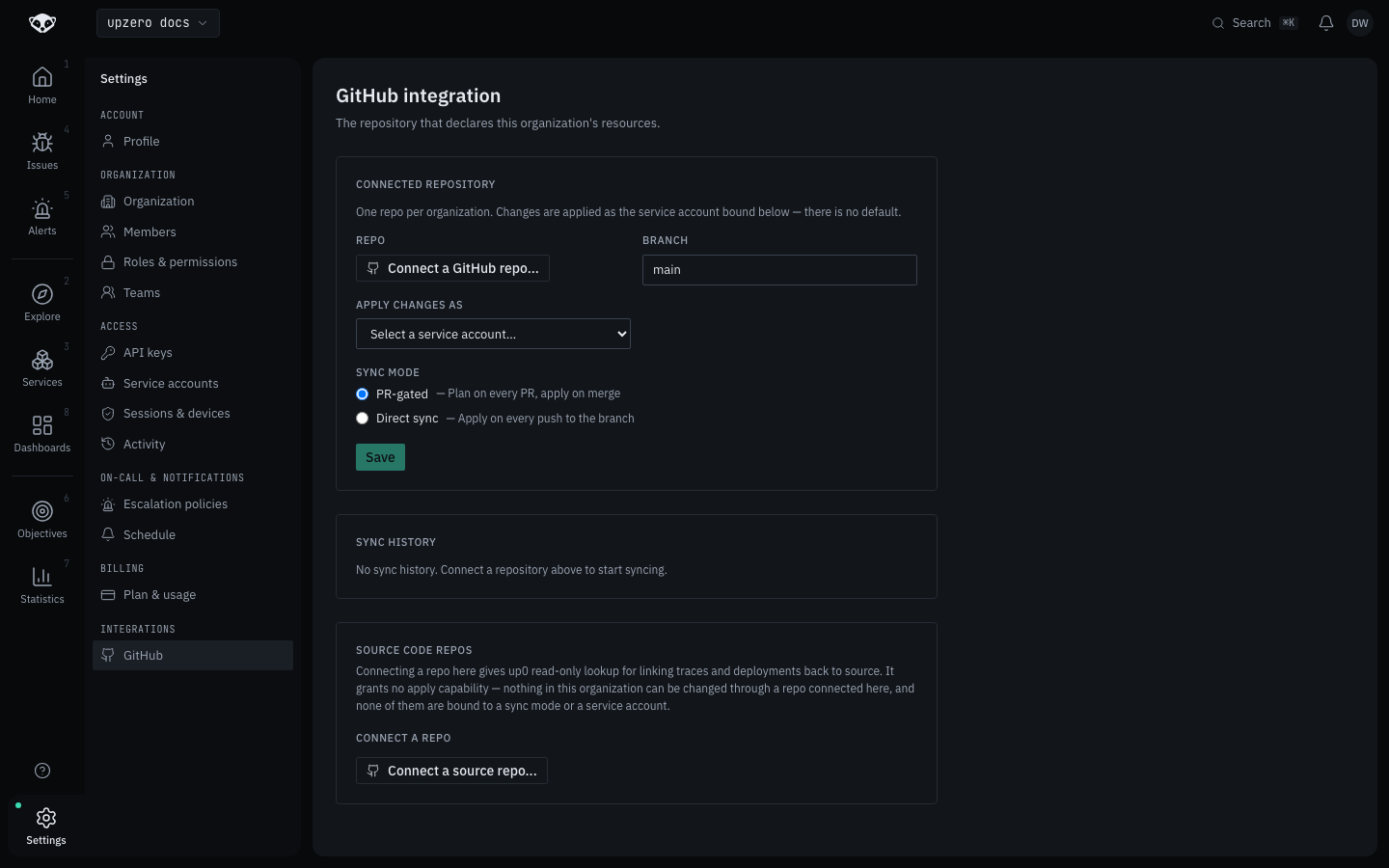
Once a service account exists, the same card renders the real form: a repo picker, branch, the service account to apply changes as, and a sync mode:
Authorize on github.com
Clicking Connect a GitHub repo... starts GitHub's own App-installation redirect (https://github.com/apps/<slug>/installations/new), never a pasted personal access token. This is the one step that genuinely needs a browser and a human: the admin picks which repositories the App can see, or installs it across the whole account or organization, entirely on github.com. GitHub then redirects back with the installation id, and the picker on this page fills in the repo you selected.
Pick a branch, sync mode and service account, then save
Branch is the branch upzero watches (main by default). Apply changes as binds the connection to one of the org's service accounts; every apply runs through the same authenticated, permission-checked path a human's own request would, scoped to whatever that account can do. Sync mode is either PR-gated or direct, described below. Nothing is connected until Save is pressed; installing the App on github.com only makes a repo choosable, it does not create the connection.
What the walk found on kind
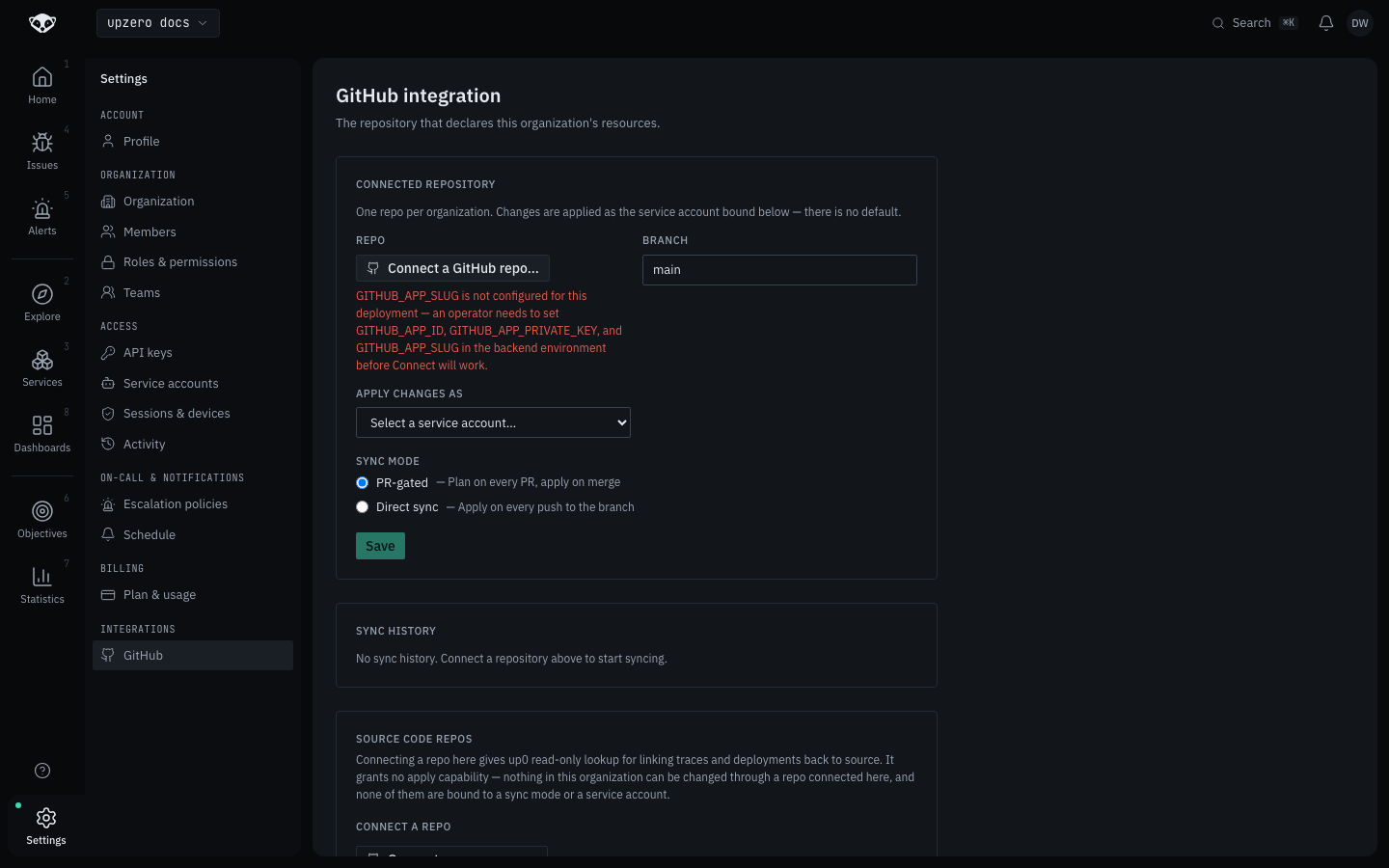
Clicking Connect a GitHub repo... on the local kind cluster surfaces the App's own configuration gap rather than GitHub's install screen: GITHUB_APP_SLUG is not configured for this deployment. Registering upzero's own GitHub App (GITHUB_APP_ID, GITHUB_APP_PRIVATE_KEY, GITHUB_APP_SLUG) is an operator step outside this walk's reach, so the flow could not be carried further than this screen on kind:
The rest of this page, from GitHub's own installation screen onward, is described from GITOPS_ARCHITECTURE.md §7.4 rather than walked live.
What the App can see
The App requests repository-wide Contents (read-only), commit statuses (read and write, to post up0/plan as a check), pull requests (read and write, to post the plan as a PR comment under PR-gated sync) and the mandatory Metadata permission. GitHub App permissions are granted per repository, not per path: upzero's own code only ever reads up0/**/*.yaml, but the grant itself covers the whole repository.
Sync modes
| Mode | What happens | Fits |
|---|---|---|
| PR-gated | Every pull request touching up0/ gets a plan, posted as a check and a comment. Nothing applies until the PR merges. | A team that wants review before a monitor or token change goes live. |
| Direct sync | Every push to the connected branch applies immediately, no gate. | A single operator, or low-risk resources where review would only slow things down. |
Both modes compute the exact same plan the exact same way; the only difference is when apply happens relative to a merge.
What a sync run does
A push lands on the connected branch
GitHub sends a webhook. Its signature is verified (HMAC-SHA256 over the raw body against the App's own installation secret) before anything is parsed, and a replayed delivery is acknowledged but never re-applied.
upzero resolves the branch's real HEAD
The commit to sync from is read live from the GitHub API, never trusted from the webhook payload itself. If the tracked branch has since been deleted (a common case: a repository's own "delete branch on merge" setting removing the very branch a PR-gated plan was computed against), that one pass ends quietly. It is not treated as a failure and does not page anyone; the next push starts a fresh one.
upzero computes a plan
Every up0/**/*.yaml document at that commit is parsed, validated, and diffed against live state, one resource at a time, matched by metadata.name. The result is a Terraform-style summary: so many to create, so many to change, so many to destroy.
The plan is posted
A commit status always. A PR comment too, under PR-gated sync. Under direct sync, or once a PR-gated plan's PR merges, the plan is applied as the bound service account, one resource at a time, so one resource failing does not block the rest.
See Sync history and drift for where a run's outcome is recorded, and Repository layout for what a manifest actually looks like.
Deletion is opt-in, and today that is the only setting
A resource removed from up0/ is never deleted automatically. It shows up in every plan as something that would be destroyed, and stays that way: pruning is currently hardcoded off for every connection, with no per-repository toggle to turn it on yet.