Sync history and drift
What a plan reports, where past runs are recorded, and how a conflicting edit shows up.
Sync history and drift
The plan
Every sync run computes one plan: desired state from up0/**/*.yaml, matched against live state by metadata.name, per Kind. The plan sorts every resource into four buckets:
| Bucket | Meaning |
|---|---|
to_create | Declared in git, does not exist live |
to_update | Exists in both, at least one field differs |
to_destroy | Exists live, no longer declared (never acted on automatically, see Connect a repository) |
blocked | Cannot be applied as declared, with a stated reason |
The same shape renders in two places: a Terraform-style comment on the pull request, under PR-gated sync, and the summary column of the sync history list described below.
Plan: 2 to add, 1 to change, 0 to destroy.

  + Monitor/production-db-tcp will be created
  ~ Monitor/production-api
      intervalSeconds: 60 -> 30
  + IngestionToken/prod-api-service will be created
Sync history
Settings > Integrations > GitHub carries a Sync history section below the connected repository card, independent of whether a connection currently exists: a disconnect is exactly the moment someone is most likely to want to read what happened before it, so the list never gates on a live connection.
With no connection yet, and so no run to show, it renders plainly rather than as an empty table:
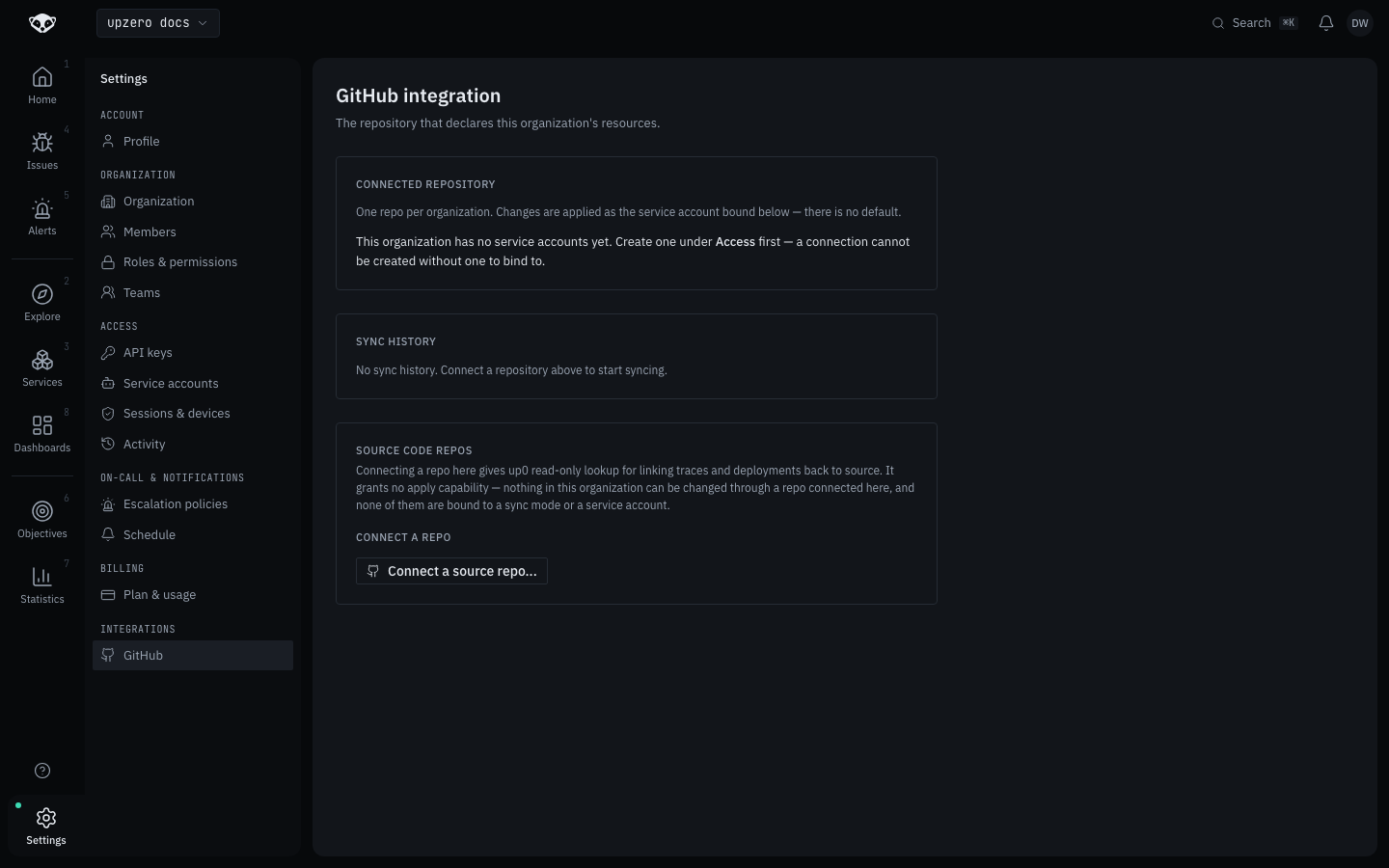
Once runs exist, each row lists status, commit (linking out to GitHub), branch, trigger, sync mode, the + / ~ / - change counts from that run's plan, duration, and how long ago it ran, with a link through to a per-run detail page. A run still in progress or waiting on a PR merge renders as a live state, not an absence: the status badge carries a small pulse alongside its label.
Sync history is read-only. There is no re-run or cancel from the console, and no CLI surface for it either: pushing a new commit, even a trivial one, is what re-triggers a sync. Reading it needs no repository connection and no git access of your own; it is scoped by the same organization permission every other setting on this page uses.
Drift and conflicts
A resource can change outside of a sync (through the console, the API, or the CLI) between two pushes. Because upzero remembers what it applied last (a stored last_applied_config per resource), a plan can tell the difference between three situations, not just two:
- Live matches what upzero applied last, and git wants something different. An ordinary update. Nothing else touched this field; git changed it, so it applies.
- Live has drifted from what upzero applied last, but git did not ask for a change here. Left alone. The field is not overwritten just because a sync happened to run.
- Both git and something else changed the same field since the last apply. A genuine conflict, reported rather than silently resolved either way:
  ~ Monitor/production-api
      ! intervalSeconds: conflict — git wants 30, live has 45 since the last apply; not applied
A conflicting field is never applied automatically. Resolving it means either changing the manifest to match what is live (accepting the out-of-band edit) or fixing the live value back to match git by hand, then pushing again; either way the next sync recomputes cleanly. This is a coarse, whole-field comparison, not a merge: if a field holds a nested object and two different parts of it changed independently, one in git and one elsewhere, it still reports as one conflict on the whole field, not a clean merge of the two.
A resource applied before this existed
A resource created directly through the console or API, or applied before upzero recorded what it last applied, has no last_applied_config yet. Its first post-fix plan treats live as the baseline rather than reporting a false conflict; only once a sync has actually applied that resource once does drift-versus-conflict detection start protecting its fields.