Escalation policies
Ordered levels, timeouts, repeat behaviour, and the seeded default policy.
An escalation policy is an ordered chain of levels. Each level names who to notify and how long to wait before trying the next level, so a page to one unreachable person does not just stop.
Levels, timeout and repeat
A level can target specific users, specific roles, or both. Role targeting is resolved at the moment an escalation actually pages someone, not when the policy is saved, so promoting or removing someone from a role takes effect immediately without re-editing every policy that names it.
Each level carries a timeout_minutes: how long to wait for acknowledgment before moving to the next level. After the last level, a policy can repeat_after_minutes to start the chain again, or stop there.
A level that resolves to nobody reachable, meaning every person it would notify has no registered device to push to, is treated as an error rather than a warning. The console checks this live while you edit a level's targeting and blocks saving with a named list of the affected people, before you find out during a real incident that a level pages no one.
The seeded default policy
Every organization gets one system policy, Default Escalation, three levels, repeating every 60 minutes. It is editable but not deletable: you can change who each level notifies, but its name, its level count and order, and each level's timeout are locked, with the lock and the reason for it shown next to the disabled control rather than merely greyed out.
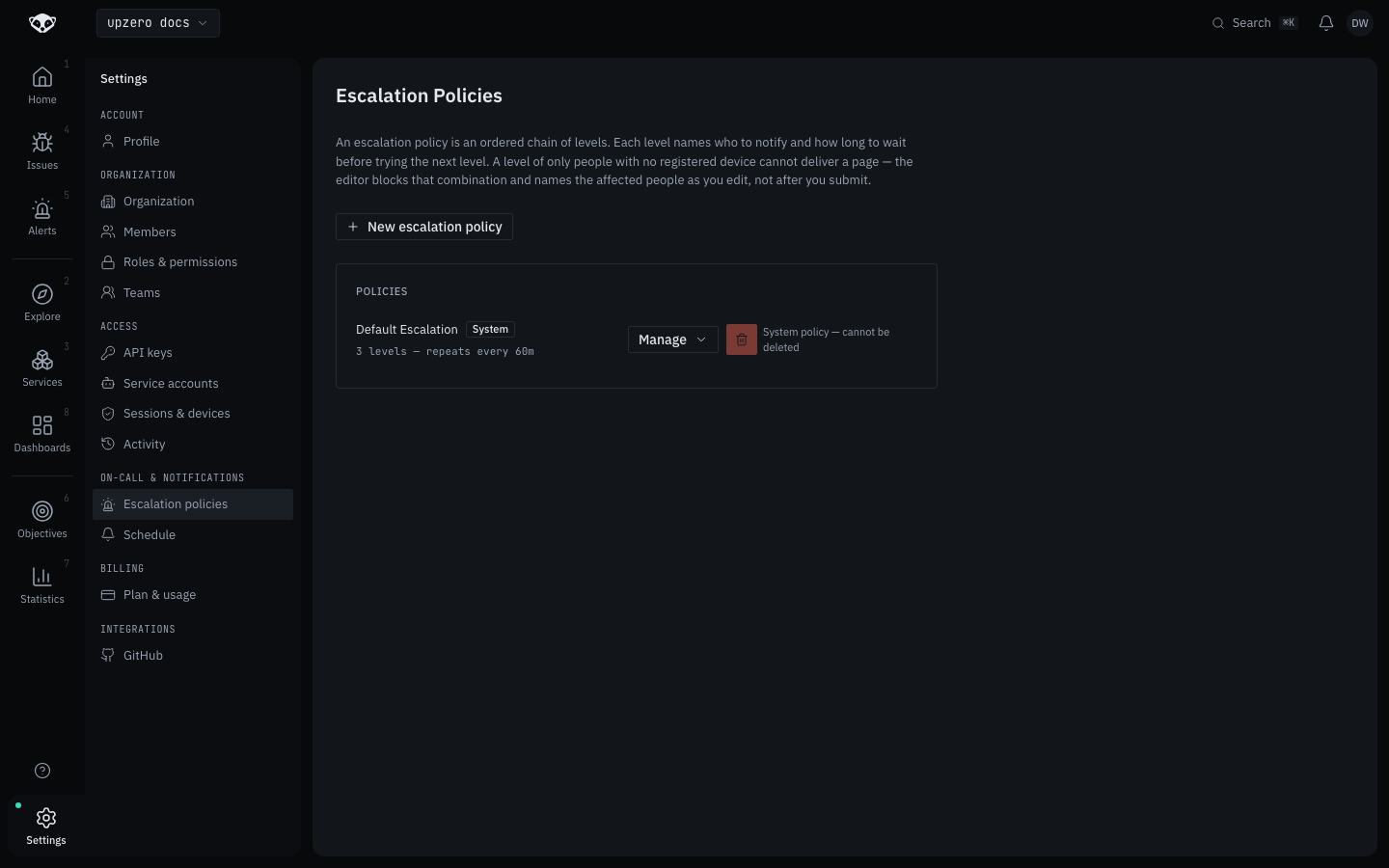
This organization's default policy currently names one user across all three levels (notify_users), no roles, and repeats every 60 minutes, exactly the seeded shape above.
Full CRUD, unlike a rule
Unlike a rule, which is GitOps-only, an escalation policy has a real create, read, update and delete API and a console editor at Settings → Escalation policies. Any member can list and read policies; creating, updating or deleting one needs Editor or above.
Email as a fallback, never a channel you pick
Escalation pages are mobile push. There is a consolidated email fallback that fires only in two cases: a page going unacknowledged past a threshold, or several pages for the same person piling up within a short window becoming one digest instead of several emails. It exists to catch someone who was away from their phone, not as a second channel you can select as a level's target, and it is not part of the level configuration above. See Notifications for the mobile push schedule itself.
What is not built
Escalation policies answer "who do we try next". They do not answer "who is on duty right now": there is no on-call rotation calendar, no shift schedule, no override for a scheduled shift swap. That is a deliberately deferred, separate feature, not a gap in what is documented here. A policy's notify_users/notify_roles are a static roster you edit by hand, not a calendar that rotates on its own.