Teams
Named groups you can assign alerts and issues to. A team grants no permission by itself.
Teams
A team is a named group of members that exists to be addressed: assigned an issue, notified by an escalation policy, mentioned in a comment. It is not an access-control concept.
A team is not a role
Membership of a team grants no permission whatsoever. Adding someone to a team does not change what they can do; that comes entirely from the role assigned to them in Members. The console states this on the Teams page itself, directly above where a team is created, because it is the single most common wrong assumption people bring from other tools.
What a team can be assigned
- An issue or incident's assignee (a team assignment notifies every member at the time of assignment, not whoever joins later).
- A target in an escalation policy, alongside individual users.
- The subject of a mention in a comment, which fans out to every current member as an individual notification.
Teams are flat: there is no nesting and no parent team. A team that needs subdivisions is two teams. They are also org-scoped only: there is no cross-organization team, and no default "everyone" team.
Creating a team
From Settings → Teams, anyone with editor-or-above can create a team with a name, a URL-safe slug, and an optional description:
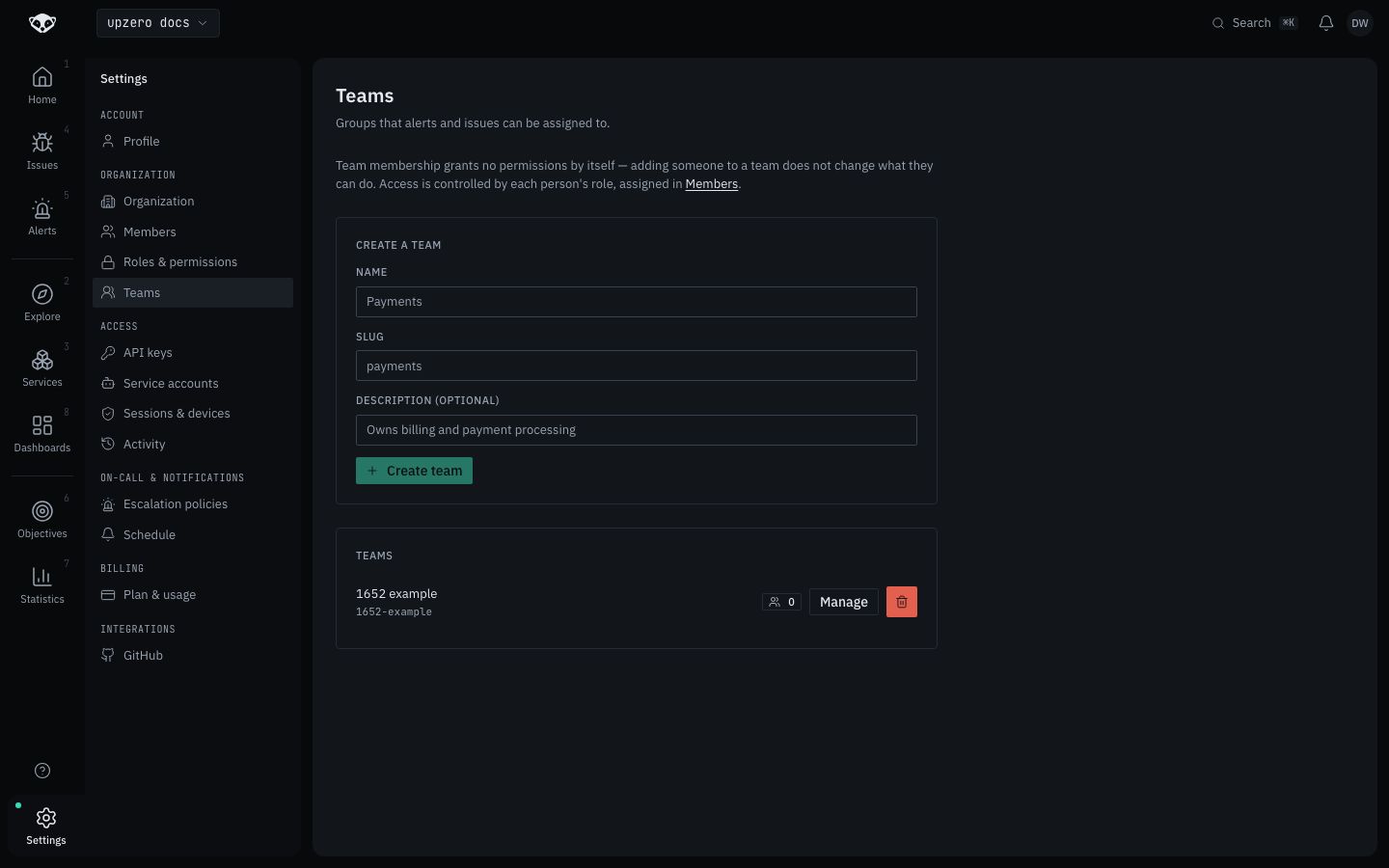
Reading the team list is open to every member, including Viewers; only creating, renaming, deleting, and changing membership requires editor or above, matching the backend's own gate.
Walked live on kind: created a team named "1652 example" (slug
1652-example) as the Owner of the walk organization. It appears in the list
immediately with a member count and Manage / delete controls.
Membership
Open Manage on a team to add or remove members from the organization's own membership list. A user can belong to many teams, or none; there is no default membership.
What teams do not do
- They do not own resources. No monitor, service, or dashboard gets a
team_id; a team is only ever the target of an assignment, a mention, or an escalation level. - They carry no notification preferences of their own; those stay per user (see Security for sessions, and the mobile push setup in the mobile app for how notifications reach a device).