Security
Sessions and devices, what revoking one does and does not do today, and why your own browser is never in the list.
Security
Settings → Sessions & devices is a per-user surface (keyed by your own identity, not the active organization) showing where you are signed in.
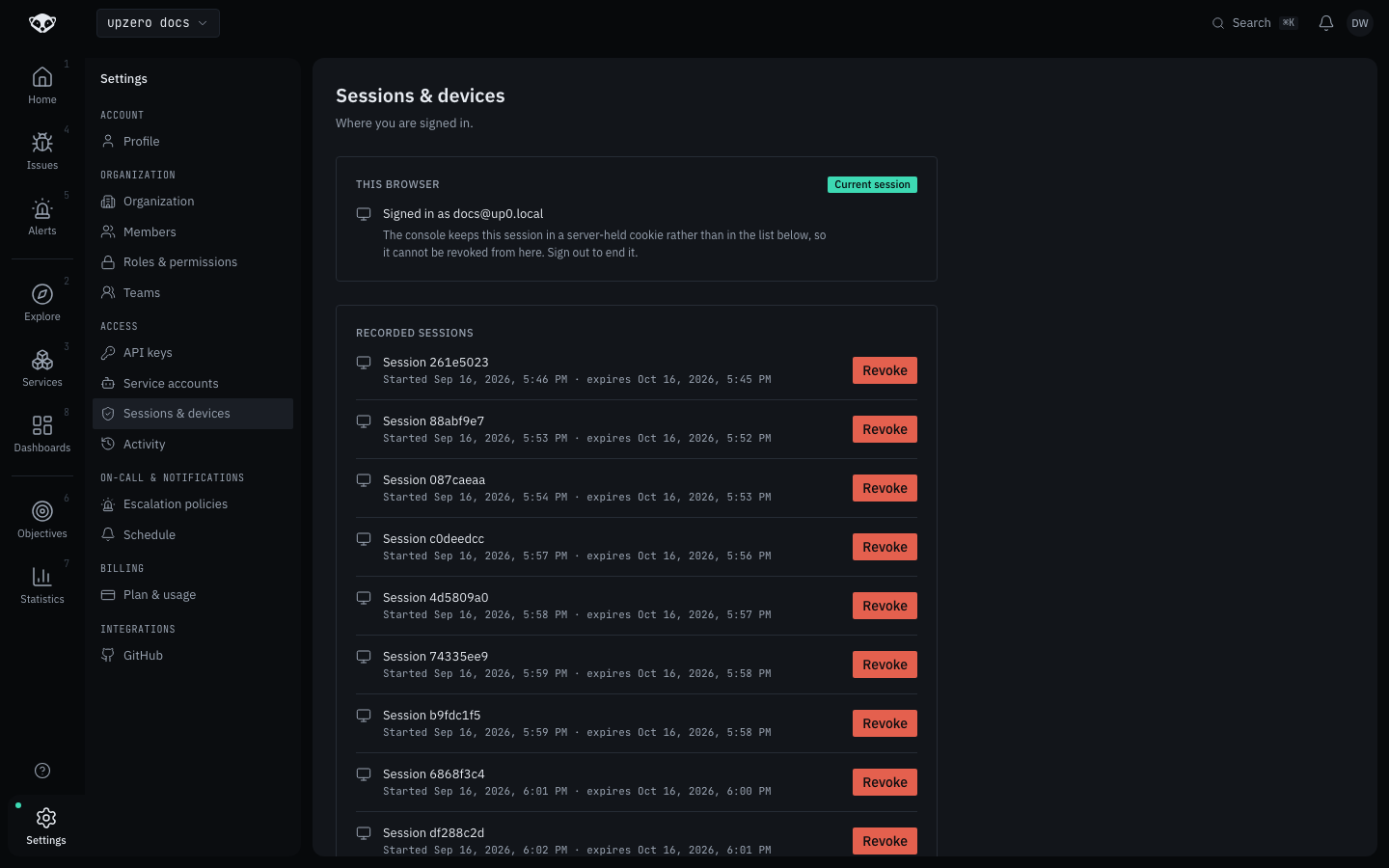
This browser
The top panel always names the session you are reading this page with, and it has no revoke control. That is deliberate, not a missing feature: the console's own sign-in is a server-held, httpOnly cookie session, and nothing correlates it to a row in the list below. Ending it is Sign out, not a revoke button. This also makes "you cannot accidentally revoke the session you are using" true by construction rather than something the UI has to remember to prevent.
Recorded sessions
Below that, GET /auth/sessions lists every other non-revoked,
non-expired session, each with a start time, an expiry, and a Revoke
button. A Temporal-driven poller of Zitadel's own Event API
(session_poller_worker.py) is what fills this list. It reads
oidc_session.added events and records them, which is why the sessions shown
in the screenshot above are real logins from this walk, not seed data.
Revocation ages a session out; it does not force-end it yet
Clicking Revoke deletes the row (DELETE /auth/sessions/{id}, 204, no
body) and is coded and unit-tested, but Zitadel v2.54.8's own Event API
returns a 500 when session-termination event types are filtered, so nothing
currently pushes a live "this session actually ended" signal back from
Zitadel. In practice, a session ages out on its own expires_at (30 days by
default); that TTL is the real aging mechanism today. A genuine
push-based revocation needs a Zitadel v3.x upgrade.
Every revoke verifies ownership server-side: a session or device id that belongs to someone else, or does not exist, returns 404 either way rather than distinguishing the two.
Devices
GET /auth/devices lists only currently-active devices (the mobile app's FCM
registration; see the mobile app for how a device gets
registered in the first place). Its DELETE deactivates the device rather than
deleting the row outright.
What is not built here
user_devices (a table distinct from the device_tokens the mobile push
path writes) is still unwritten: nothing calls POST /api/v1/auth/devices
today. The Devices panel above reflects device_tokens (FCM registrations),
which is the only device data that actually exists to show.