Roles and permissions
The four built-in roles, the permission catalog behind them, and how to clone one into a custom role.
Roles and permissions
Authorization is permission-based: every action in the product maps to a
resource:action key (monitor:create, billing:manage, role:manage, and
so on), and a role is nothing more than a named set of those keys. Settings
→ Roles & permissions is where an Owner or Admin reads that catalog and
decides who holds what.
The built-in roles
Every organization ships with four immutable system roles:
| Role | Description shown in the console |
|---|---|
| Owner | Full control, including billing and organization deletion |
| Admin | Manages resources and team, bounded by the no-escalation rule |
| Editor | Creates and edits resources |
| Viewer | Read-only access |
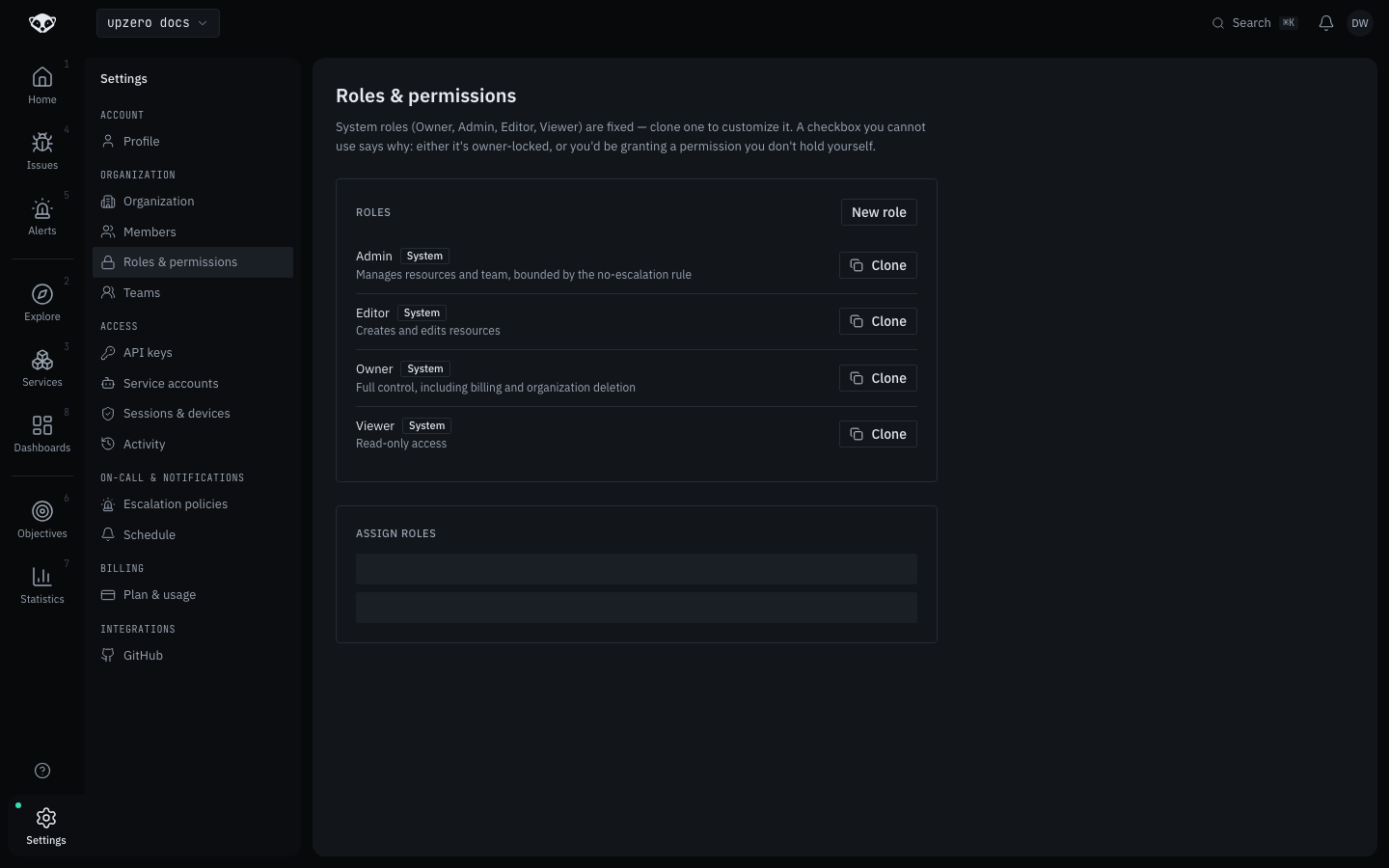
Two permissions are owner-locked (org:delete and billing:manage)
and can never be granted to any role other than Owner, in any organization.
The role editor refuses to add them to a clone, and there is no way around
that from the UI.
Custom roles
Custom roles are live
Unlike the older two-role description still in some docs/v2 module pages,
the console's settings/roles.tsx does let an Owner or Admin create a
custom role today, verified live on kind: the New role button opens a
dialog with a name, an optional description, and a permission checklist
grouped by resource type.
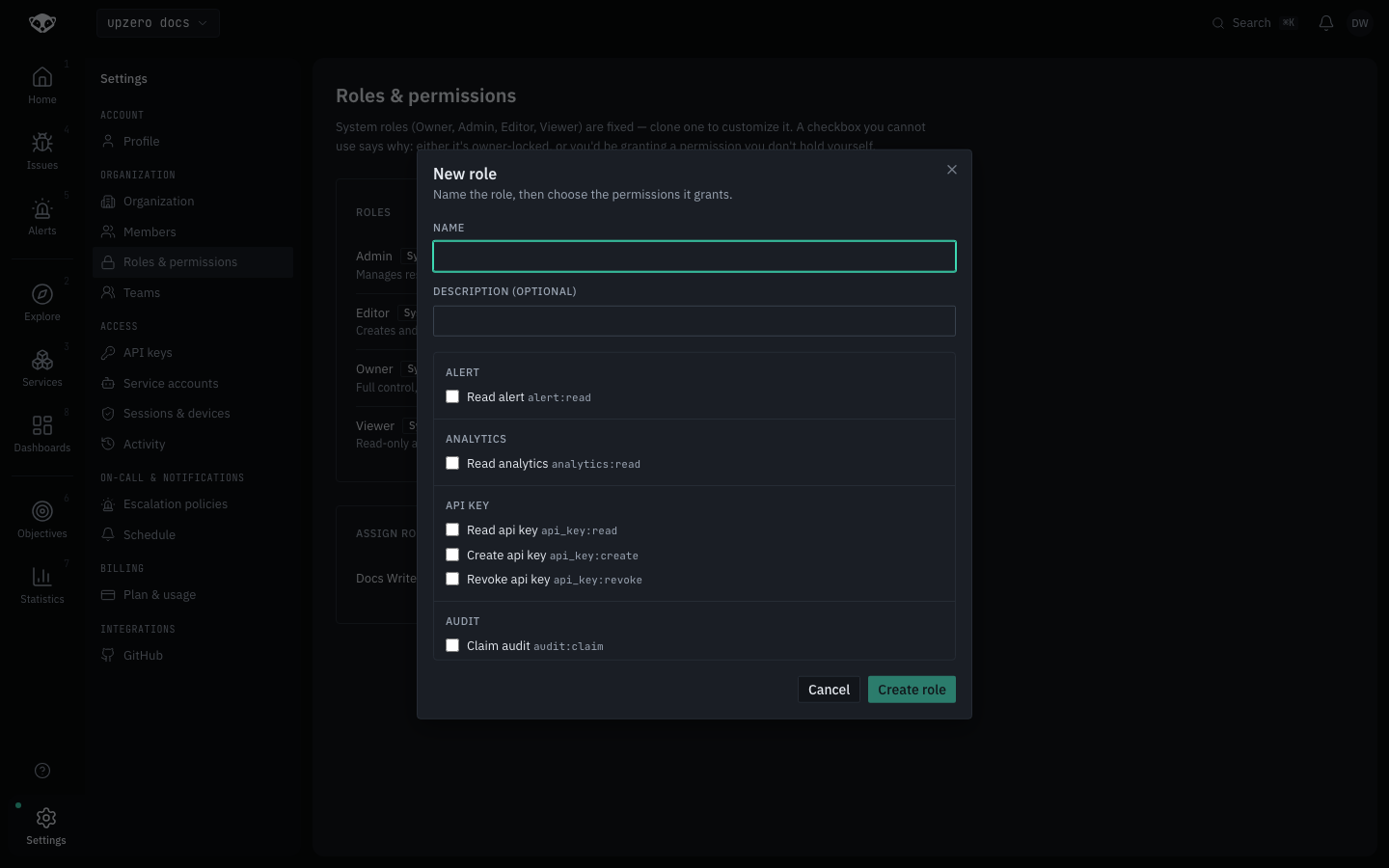
Three ways to end up with a custom role:
- Create one from scratch, starting with no permissions checked.
- Clone a system role (every system role shows a Clone button) to start from its current permission set and adjust it.
- Edit a custom role that already exists, changing which permissions it grants.
A checkbox you cannot use always says why, right next to it: either the permission is owner-locked, or you would be granting a permission you do not hold yourself. That second rule is the no-escalation invariant: nobody can hand out access broader than their own, even an Admin editing someone else's role.
Two things the design intends that this walk did not exercise: plan roles
(a third role kind granted by a subscription tier, disappearing if the plan
lapses; not cloneable, since customizing a copy would outlive the
entitlement it came from) never appeared on the Free-plan walk organization,
and custom-role creation is meant to be gated per plan through the existing
feature-flag system; it was not observed to be blocked on the Free plan used
for this walk.
Assigning a role
The Assign roles panel lists every member with a role selector. Choosing
a role (system or custom) sends the real role_id, so assigning a custom
role always works correctly.
A known read-side gap
The member list response still returns only the legacy four-value role
enum, not role_id. A member already bound to a genuinely custom role
therefore shows their prior system role in this selector, not the custom
one. The assignment itself is correct; only redisplaying it accurately is
not built yet.
Related
- Members for inviting people and picking their role at invite time.
- Service accounts for machine identities, which also bind one of these roles.