Saved queries and history
Saving a query for reuse, who can see and edit it, and the automatic history of what you have run.
Saved queries and history
Explore keeps two separate lists in its sidebar: Saved queries, which you create deliberately, and History, which records itself.
Saving a query
With a query in the search bar, open Saved queries → Save current query…, give it a name, and it is stored against your organization.
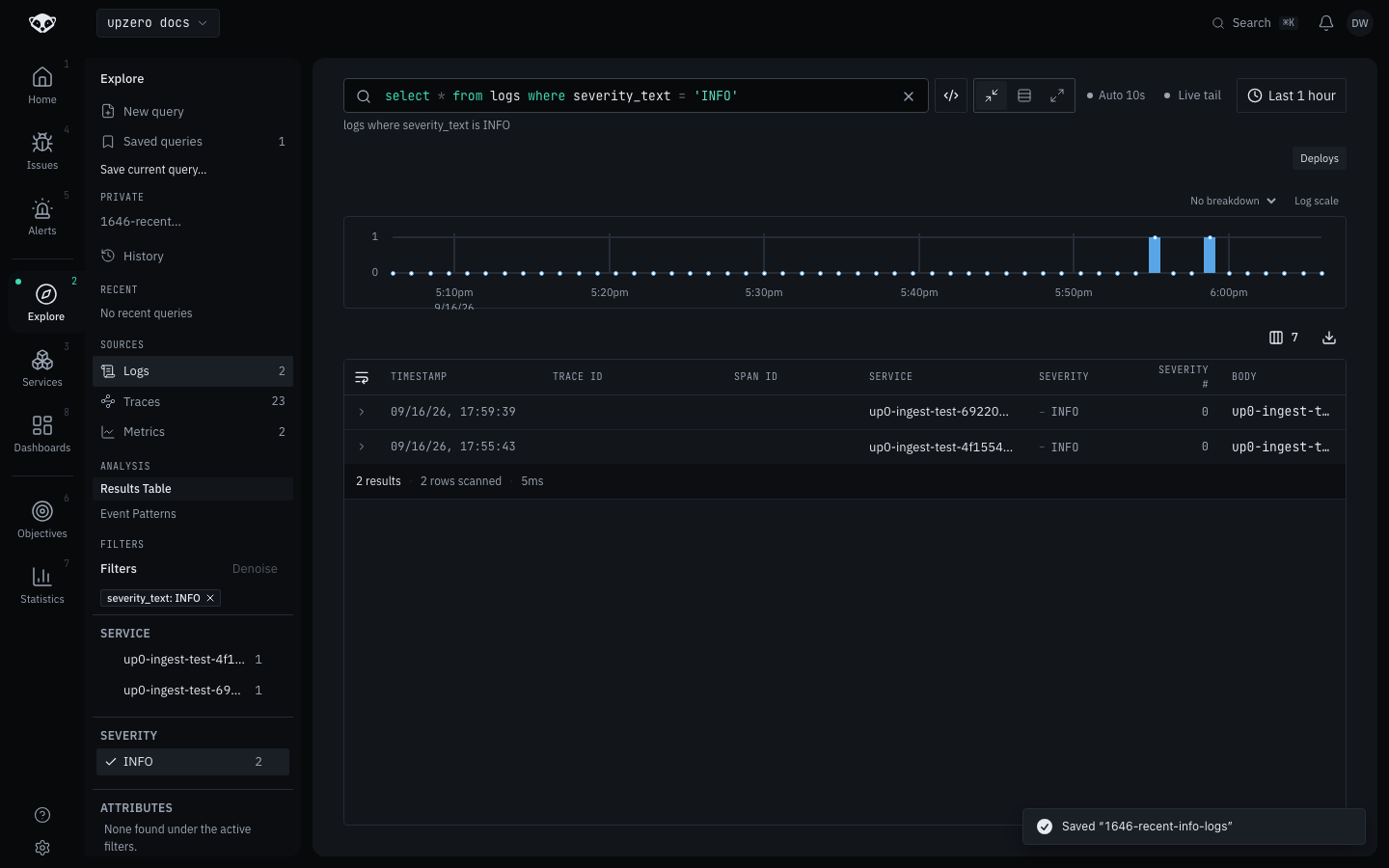
A saved query stores:
| Field | Notes |
|---|---|
name | Unique per creator; a duplicate name is rejected with a 409 |
query_text | The query language text, exactly as typed |
visibility | private (only you) or org (every member), private by default |
| Time range | Optional. Left unset, applying the saved query leaves your current range alone |
Only the creator can edit a saved query. Deleting one is the creator's right always, plus Owner/Admin for an org-visible query, since an elevated role governs shared content, not another member's private searches.
Any member can create a saved query: saving one is not an elevated action, since it defaults to private.
History
Every query you submit is recorded automatically, newest first, up to the last 100. No action is needed, and there is nothing to turn on.
Two things make the list actually useful rather than noisy:
- A history write never blocks or fails a query. Submitting is the thing you asked for; recording it is incidental. If the write fails, the query still ran and nothing tells you the history entry was dropped.
- Holding Enter, or re-running the same query to watch it change, does not fill the list with one repeated line. A submission identical to the most recent entry is a no-op rather than a new row: the list shows what was first run in a streak, not a timestamp bumped on every repeat.
Click History in the sidebar, then any entry, to load that query back into the search bar.
Applying either one
Loading a saved query or a history entry puts its query text back in the search bar and runs it, the same as typing it by hand and pressing enter. A saved query with a stored time range applies that range too; one without leaves your current range untouched.
From the terminal
up0 tail --view <name> resolves a DataView, a saved query that also
carries display settings (column set, widths, sort), through this same
list, and applies its query and time range as CLI defaults. Only a saved
query with that extra display payload counts as a DataView; an ordinary
saved search with the same name is not matched. See
From the terminal for the flag.